.svg)

Every business owner strives for legible text and crisp, discernible logos; yet, they may not realize the importance of choosing a printing method that fits the individual project.
At Strouse, we’ve used our technical expertise to help launch over 1,000 printed products, both digital and flexographic. Truthfully, neither method is inherently superior.
This article will help you compare digital and flexo printing so that you feel confident choosing a method before investing in a new process.
Differences Between Digital and Flexo Printing
|
PRINTING TYPE |
DEFINITION |
SUBCATEGORIES |
|
Digital printing processes use uploaded designs and digitally specified colors to recreate images on the desired substrate. There are two primary types of digital printing: inkjet and laser. |
Inkjet printing sprays microscopic ink droplets onto the substrate. It is primarily used for cost-effective, short-run printing (like printing photos). |
|
|
Laser printing traces pictures onto a static, spinning drum inside of the printer, then blows powdery, ink toner onto the image. The toner sticks to the traced areas before it is melted flat by a hot roller. |
||
|
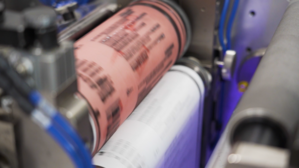
Flexographic or “flexo” printing attaches a print plate with raised areas to rollers that pick up liquid ink from a tray and continuously transfer it to the substrate as the material moves underneath, creating your desired print images. |
How Do You Choose Digital vs Flexo Printing?
Your project’s volume, setup time, and substrate (material) requirements will ultimately determine whether you find more success with either digital or flexographic printing.
|
DIGITAL |
FLEXO |
|
|
Tool-free method |
✅ |
❌ |
|
Variable print images (e.g., serial numbers) |
✅ |
❌ |
|
Low minimum quantities |
✅ |
❌ |
|
High-volume cost efficiency |
✅ |
✅ |
|
Highest level of detail |
✅ |
❌ |
|
Does not require drying |
✅ |
❌ (requires drying) |
|
Highest material versatility |
❌ |
✅ |
|
Fastest printing method |
❌ |
✅ |
WHY CHOOSE DIGITAL?
- Photo-level realism (5+ colors)
- Color can be adjusted digitally
- Does not require drying
- Minimal setup costs
- Handles larger rolls
- Unwinds, prints, and rewinds material rolls all in one process
- Variable information
Digital printing can produce designs with photo realistic detail, elaborate patterns, and variable information (e.g., bar codes, date codes, device identification numbers).
There are also minimal setup costs for digital printing, unlike flexographic printing, which requires custom print plates and machine setup. As a result, digital printing technologies are great for prototyping and projects with short turnaround times.
DIGITAL COST FACTORS
💲Offers a competitive cost for frequent SKU changes
💲Higher per-unit costs than flexo at higher quantities
💲Minimum setup costs
💲Less startup waste
WHY CHOOSE FLEXOGRAPHIC?
- Cheaper unit cost at high volumes
- Versatile range of materials
- Digital can be limited by material thickness (0.020” or 0.5mm at Strouse)
- Rapid production speeds
Flexographic printing is best at mass-producing static, simple, non-variable images (e.g., products like printed logo tape). Once the press is assembled with custom print plates, the cost per unit decreases dramatically.
Flexo presses are common in packaging applications due to their ability to print on a wide range of materials, including thick, textured, or non-porous materials that digital printing methods struggle to reproduce.
FLEXO COST FACTORS
💲Labor-intensive press assembly
-
- Requires operator know-how to keep the level of ink consistent and prevent blotting or oversaturation
💲Custom print plates needed
-
- Every added color requires a print plate.
💲Necessary press testing
-
- Creates more material waste
Finding a Printing Process for Your Manufacturing Needs
For some orders, production is as easy as printing and rewinding materials; yet, others may require additional processes such as lamination, die cutting, and packaging.
Die cutting is a manufacturing method that converters use to punch out custom shapes in large volumes.
With in-line digital and flexo die cut printing processes, converters can create a one-pass production process, which helps reduce transportation needs and processing errors.

Consolidating your processes into an efficient manufacturing solution will help you lower the production cost and prepare you for future process scaling.
Choosing the right printing process means evaluating many details—especially in substrates and inks—so it helps to be thorough in your planning.
If you want advice on a particular project, reach out anytime to hear about our converting and printing processes.
